Showing posts with label tablet pc. Show all posts

Tuesday, January 11, 2011

ViewSonic ViewPad 7

ViewSonic ViewPad 7


Review

the good:

  The ViewSonic ViewPad 7 delivers Android 2.2 on a 7-inch screen, with a powerful processor and rear- and front- facing cameras.
The bad:

The ViewPad 7 is a doppelganger for the Samsung Galaxy Tab and shares many of its shortcomings, including a frustrating keyboard and awkward size. Lacks camera flash. Bring your own memory card.
The bottom line:

The ViewPad 7 offers a solid platform for Android 2.2, but it comes off as an oversize, overpriced smartphone--not a Netbook alternative.
The ViewSonic ViewPad 7 is a 7-inch Android tablet that answers the call for a carrier-agnostic alternative to the Samsung Galaxy Tab. Priced around $450, the ViewPad 7 offers an impressive spec sheet, Android Market access, and all the accoutrements of Android 2.2. It isn't an iPad killer, but its accessible SIM and memory card make it one of the most flexible high-end Android tablets available.
Design
 
The ViewPad 7 is a bit of a brick, with its squared-off edges and paperback dimensions. A few editors remarked on how the silver plastic bezel that wraps around the edge makes it look like a giant iPhone 4. Measuring 4.3 inches tall, 7 inches wide, and .5 inch thick, the ViewPad 7 is slightly more pocketable than the Galaxy Tab, and takes up less than half the space of an iPad.
The screen sports an 800x480 resolution, and is covered with scratch-resistant glass. Like on most Android products, there are four touch-sensitive buttons that run along the screen, providing keys for Home, Menu, Search, and Back. We think ViewSonic's home button looks more like a mushroom cloud than a house, but maybe that says more about us than the product.
A front-facing 0.3-megapixel camera is squeezed into the top left corner of the screen, and is compatible with video chat applications such as Fring. On the back, a 3-megapixel camera sits near the center, but lacks the camera flash found on similar Android tablets, such as the Dell Streak and Galaxy Tab. Still, two cameras are better than none--which is what you'd get on the iPad.
The bottom of the ViewPad 7 includes ports for USB (data/charge) and headphones. A nice headset is included with multiple ear-tip fittings, remote button, and microphone (for voice calls and voice search). Slim speaker grilles are found on the left and right edges, along with a power button on the left that doubles as a sleep/wake control. Across the top you'll find volume buttons and a covered port for a microSD memory card and cellular SIM card.
Overall, the hardware design is solid and well-executed, if a bit forgettable, like many tablets. Unfortunately, once you boot it up, the bloom comes off the rose. A minimum of effort seems to have gone into applying the user interface of the Android 2.2 OS to the ViewPad's 7-inch screen. For example, the dock positions a call button as a primary feature. Granted, the ViewPad's voice-calling feature works well (provided you supply your own SIM card), but it seems an unlikely primary use.
The lack of interface polish really rears its head when you use the onscreen keyboard. There are three keyboard layouts available: QWERTY, 12-key (with letters grouped three per button, as on a feature phone), and CooTek T+. You can switch between keyboard layouts by swiping left and right (a fact not immediately apparent), but the end result is an unnecessary kludge of mobile phone keyboards on a device that really deserves one great QWERTY. Instead, you get a QWERTY that lacks multitouch support and hides common characters such as exclamation marks. With e-mail and messaging being such a big part of why people are drawn to tablets, a half-baked keyboard is a big negative.
Features

The ViewPad 7 offers the full, undiluted Android 2.2 experience, and includes the official Android Market for all the latest and greatest apps. We've seen other Android tablets this same size, but so far only the Galaxy Tab can match the ViewPad's support for Android 2.2 with Android Market.

Thursday, November 4, 2010

Creative Announces Tablets Starting at $249

Creative Labs on Tuesday announced entry-level media tablets with 7-inch and 10-inch touchscreens, with prices ranging from US$249 to $319.


The Ziio Pure Wireless Entertainment tablets come with Google's Android 2.1 OS and storage ranging from 8GB to 16GB. Some models are priced lower than Archos' 101 Internet Tablet and Velocity Micro's Cruz tablet, which are priced at $299.
The tablets will start shipping in early December, Creative said.
The Ziio tablet will join a highly competitive market led by Apple's iPad, which shipped in April. Samsung has already started selling its Galaxy Tab in some countries, and Research In Motion, Hewlett-Packard and Dell have announced plans to launch tablets. Research firm Gartner is pegging tablet shipments to reach 54.8 million units next year.
Creative is primarily known for its portable media players, speakers and headsets, and has built the tablet to its strengths. The company says the tablet is able to sync with its audio products via Bluetooth to play music. The device includes an audio application and an Apt-X codec to achieve quality audio streaming and playback.
Beyond music, users will be able to check e-mail, surf the Web or play casual games, Creative said. Applications are offered through the company's ZiiStore.
The tablet is powered by the homegrown ZMS-08 processor, which is based on a 1GHz Arm processor and can play 1080p video. The device comes with an HDMI (high-definition multimedia interface) port to play video from the tablet on high-definition TVs. It also comes with a MicroSD card slot for additional storage.
The device comes with a front-facing camera and has Wi-Fi capabilities. The company says the device can play back up to five hours of video on a single battery charge.
The 7-inch tablet weighs 400 grams (0.88 pounds), while the 10-inch tablet weighs 650 grams.


Apple iPad MB292LL/A Tablet (16GB, Wifi) Apple iPad MC497LL/A Tablet (64GB, Wifi + 3G)Apple iPad MB294LL/A Tablet (64GB, Wifi)Apple iPad Tablet (32GB, Wi-Fi)

Wednesday, November 3, 2010

Wednesday, October 20, 2010

iPad vs. JooJoo... fight!


By Paul Miller posted Apr 6th 2010 3:22PM


Sure, they might be worlds apart in quality, usefulness, and desirability, but even still, comparisons are inevitable. The iPad (right) and the JooJoo (left) hit the hands of consumers on the same weekend, offer large-screen browsing experiences controlled entirely by a capacitive touchscreen, and... well, you get the idea. So, how do the two devices stack up externally? It's a pretty fair fight, hardware-wise. The JooJoo is thicker and heavier, but also scores a good amount more screen space -- its 16:9 ratio almost turns it into an extruded lengthwise version of the 4:3 iPad. Unfortunately, that screen is a real let down when viewed off axis, and isn't nearly as responsive or accurate as the iPad's in use. Both of the devices offer scratch resistant glass fronts and brushed aluminum backs, though there's a bit of give to JooJoo's materials that smacks of slightly lower quality. You can read the reviews to get an idea of how dramatically different these two devices are in actual use, but if you want to satisfy a baser lust for straight-on comparison shots, hit up the gallery below.

Saturday, October 16, 2010

Tablet Wars: iPad vs HP Slate vs JooJoo vs Dell Mini 5 vs Archos7 vs Notion Ink Adam ,by Ron Callari


Not since the MP3 Wars of the last decade has there been as much excitement over the launch of a new type of hand-held device. It's a little odd to be talking about the Tablet Wars in advance of these products actually hitting market. - but in today's digital world, that's how fast things are moving. Which makes our job of forecasting a front-runner - a wee bit of a challenge. Pre-orders would be an indicator, but those numbers are being held under close wraps.


So, the best we can do is lay out the facts currently released to the public, and leave it up to the reader as to what product makes the most sense. So based on the specs that have been announced, here's some of the key differential stats that distinguishes these multi-task-multi-media devices:

  • Apple iPad and HP Slate has storage capacity up to 64GB
  • Apple iPad is the lightest at 1.5 lbs.
  • Apple iPad is the only one that doesn't have a camera or webcam
  • The Dell Mini 5 has the smallest screen at 5 inches
  • Joo Joo has the largest screen at 12 inches
  • JooJoo weighs the most at 2.4 lbs
  • JooJoo is only tablet to have no demonstrated way to read ebooks
  • Archos 7 Android is the least expensive
  • Notion Ink Adam has the longest battery life
And here is a Gizmodo's Guide that lists all of the known specs:

Friday, October 15, 2010

iphone 4G


People have been dreaming about video calling for decades. iPhone 4 makes it a reality. With the tap of a button, you can wave hello to your kids, share a smile from across the globe, or watch your best friend laugh at your stories — iPhone 4 to iPhone 4 or to the new iPod touch over Wi-Fi. No other phone makes staying in touch this much fun.

One-tap simple.

FaceTime works right out of the box — no need to set up a special account or screen name. And using it is as easy as it gets. Let’s say you want to start a video call with your best friend. Just find her entry in your Contacts and tap the FaceTime button. Or maybe you’re already talking on a voice call with her, iPhone 4 to iPhone 4, and you want to switch to video. Just tap the FaceTime button on the screen. Either way, an invitation pops up on her screen asking if she wants to join you. When she accepts, the video call begins. It’s all perfectly seamless. And it works in both portrait and landscape modes.

Two cameras made for video calling.

iPhone 4 has two built-in cameras, one on the front above the display and one on the back next to the LED flash. The front camera has been tuned for FaceTime. It has just the right field of view and focal length to focus on your face at arm’s length. So it always presents you in the best possible light.

Share what you see with the back camera.

Imagine your sister is away at school and can’t make it to your son’s birthday. So you’re cheering her up with a FaceTime call. As the cupcakes come out, your son’s eyes light up, and you just have to share it. Tap a button, and before you can say, “Make a wish,” iPhone 4 switches to the back camera, and to the birthday boy's big moment. Another tap switches back to the front camera and to you. Simple, fast, and fun.

Retina Display. The sharpest, most vibrant, highest-resolution phone screen ever.

Thanks to the Retina display, everything you see and do on iPhone 4 looks amazing. That’s because the Retina display’s pixel density is so high, your eye is unable to distinguish individual pixels. Which means Text in books, web pages, and email is crisp at any size. Images in games, movies, and photos pop off the screen. And everything is sharper.

In a word, resolutionary.

By developing pixels a mere 78 micrometers wide, Apple engineers were able to pack four times the number of pixels into the same 3.5-inch (diagonal) screen found on earlier iPhone models. The resulting pixel density of iPhone 4 — 326 pixels per inch — makes text and graphics look smooth and continuous at any size.

Brilliant, no matter how you look at it.

The iPhone 4 Retina display uses technology called IPS (in-plane switching) — the same technology used in the Apple LED Cinema Display and iPad — to achieve a wider viewing angle than on typical LCDs. Which means you can hold iPhone 4 almost any way you want and still get a brilliant picture. That’s perfect when you’re sharing photos with a friend or moving your iPhone around while playing a driving or flying game. In addition, the Retina display offers four times the contrast ratio of previous models, so whites are brighter, blacks are darker, and everything is more beautiful.

Advancements in the glass. And under it.

Made from the same materials used in helicopters and high-speed trains, the Retina display glass is chemically strengthened to be harder, more scratch resistant, and more durable than ever. The glass also features an oil-resistant coating that helps keep the screen clean.
The Retina display includes LED backlighting and an ambient light sensor that intelligently adjusts the brightness of the screen for optimal viewing and battery life. When you lift iPhone to your ear for a phone call, a proximity sensor immediately turns off the display to save power and prevent accidental dialing.

Multitasking. Done the right way.

Now you can run your favorite third-party apps — and switch between them instantly — without slowing down the performance of the foreground app or draining the battery unnecessarily.* This smarter approach to multitasking is available only in iOS 4.

Switch between apps quickly.

The multitasking user interface allows you to quickly switch between recently used apps. Just double-click the Home button to reveal your recently used apps. Scroll right to see more apps, then tap one to reopen it. No need to wait for the app to reload.

And pick up right where you left off.

Apps can remember where you left off. So when you return to the app, you can jump right back into playing your game, reading the news, finding a restaurant, or whatever you were doing.

Listen to audio in the background.

Now you can listen to audio from compatible third-party apps while checking email, surfing the web, playing games, and performing other tasks. So when you want to follow a ball game or listen to music from Pandora, your productivity never skips a beat.

Get VoIP calls while using other apps.

Third-party apps such as Skype let you make voice calls over the Internet. Multitasking in iPhone 4 makes it possible to receive these Skype or VoIP calls while other apps are running, even when your iPhone is locked. And during a call, you can keep the conversation going while you switch to another task, such as checking a movie listing or reading an email.

Keep GPS apps running.

Apps that use GPS can continue to run in the background. Not only do they constantly update your position, they can also give you spoken turn-by-turn directions even as you listen to music (the music volume lowers while the directions are spoken). It’s perfect for social networking apps, too. Now you and your friends can find each other even when you’re not actively using the app.

Receive push and local notifications.

Third-party apps and services can send alerts and messages directly to your phone. So you can get sports scores, news updates, game requests, reminders, alarms, and more the moment they happen, without having to open the app that’s providing the notification.

Complete tasks in the background.

If you’re performing a task that’s taking awhile — such as uploading pictures to a photo service — you can switch to another app without interrupting the task. No more waiting around.

HD Video Recording. Shoot. Edit. Share. All in HD.

Because your iPhone goes with you everywhere, you’re always ready to capture every moment. And with iPhone 4, you can do it in stunning high definition. Its advanced backside illumination sensor delivers great-looking video in both bright and low-light settings. And in dark environments, you can brighten the scene with the built-in LED light.

Edit video right on iPhone.

No need to wait until you’re back at your computer to edit video. You can perform basic editing right in the Camera app. Just drag to select start and end points on a filmstrip.

Turn your video clips into a finished movie. With iMovie on iPhone 4.

You’re on vacation, and you want to create a video postcard of everything you did that day and share it with your family. Just use the iMovie app — available on the App Store for just $4.99. Built for Multi-Touch, iMovie lets you combine and edit video clips, polish your movies with dynamic themes, add music and photos, and share your finished movies with the world.

Tap to focus video.

Say you’re recording a scene with subjects in both the foreground and the background. How do you make sure the camera focuses where you want? Just tap that part of the image on the iPhone 4 display. The camera immediately focuses on it and adjusts exposure to match the lighting. When you want to focus on another part of the scene, just tap again.

Make a video self-portrait.

In addition to the high-definition camera on the back, iPhone 4 has a VGA-quality camera on the front, above the display, that lets you see yourself while you record. So it’s perfect for taking a video self-portrait — no more guessing if you’re in the frame or accidentally cropping yourself out altogether.

Share video anywhere.

Say you’re in the middle of a text message conversation when you see something video-worthy. Tap the camera icon in Messages to record on the fly and send it to your buddy via MMS. Or select some video from the Camera Roll and attach it to a new email message, ready to send. Publishing to your MobileMe gallery or to YouTube — even in HD — is also just a tap away. And you can easily sync all the video you shoot on iPhone 4 back to your Mac or PC.


Wednesday, September 29, 2010

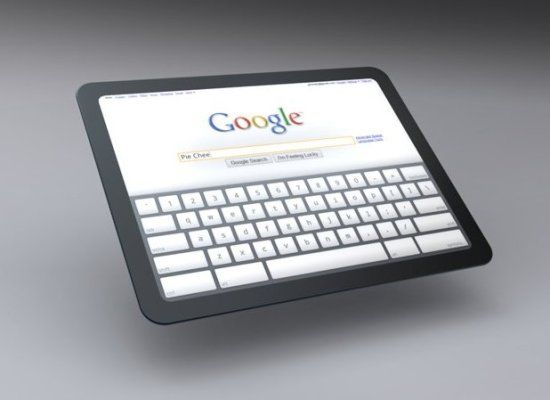
Google Tablet PC Details: 'iPad Killer' In The Works

The rivalry between Apple and Google has intensified as the two companies increasingly tread on each other's turf. Steve Jobs, who accused Google of wanting to 'kill us,' recently unveiled an Apple ad platform called iAd that's set to challenge Google's mobile advertising strategy.
Meanwhile, it seems a Google tablet PC, Google's answer to the iPad, is in the works.
Google CEO Eric Schmidt knocked the iPad at Davos earlier this year--"You might want to tell me the difference between a large phone and a tablet," he said--and recently leaked details about the Google tablet that is in the works.
The New York Times reports,
Eric E. Schmidt, chief executive of Google, told friends at a recent party in Los Angeles about the new device, which would exclusively run the Android operating system. People with direct knowledge of the project -- who did not want to be named because they said they were unauthorized to speak publicly about the device -- said the company had been experimenting in "stealth mode" with a few publishers to explore delivery of books, magazines and other content on a tablet.
 

The NEW Dell Streak - Exclusive Video of Dell's Tablet iPad - CES 2010

Dell To Introduce Streak Android Tablet PC In US This Summer


Personal computer maker Dell Inc. (DELL: News ) Tuesday announced plans for Streak, a 5-inch, Android operating system-based Tablet PC, designed to provide people with entertainment, social connection, and navigation experience. The company plans to make the Streak available in the U.S. later this summer.

Tablet PCs establish a new class of devices between smartphones and laptops. In April 2010, technology company Apple Inc. (AAPL: News ) introduced its tablet computer iPad for internet browsing, media consumption, gaming, and light content creation. Internet giant Google (GOOG: News ) also is in the process of making its own tablet device.

In the UK, the Dell Streak will be available in early June at O2 stores, O2.co.uk and the Carphone Warehouse. It will be available at Dell.co.uk. later in the month. The company also said that pricing and data plans for the UK will be announced by O2 ahead of availability.  (Source: RTTNews)

Total Pageviews

feeds

Dr.5z5 Open Feed Directory
Preview on Feedage: techno-blog-every-thing-is-free Add to My Yahoo! Add to Google! Add to AOL! Add to MSN
Subscribe in NewsGator Online Add to Netvibes Subscribe in Pakeflakes Subscribe in Bloglines Add to Alesti RSS Reader
Add to Feedage.com Groups Add to Windows Live iPing-it Add to Feedage RSS Alerts Add To Fwicki
Add to Spoken to You